Can an AI assistant help me with an appraisal?
Douglas Kuss, Certified Residential Appraiser
Yes — as a reader and a drafter, never as the appraiser. Connected to DataPro360, an assistant can read what you switch on, hand you comparable sales, and do the clerical work you allow on switches you set — Off, Ask, or Auto; it cannot touch the Comp Grid, decide an adjustment, set a weight or the value, flip a switch, or save your file, and it decides nothing.
What it can actually do today
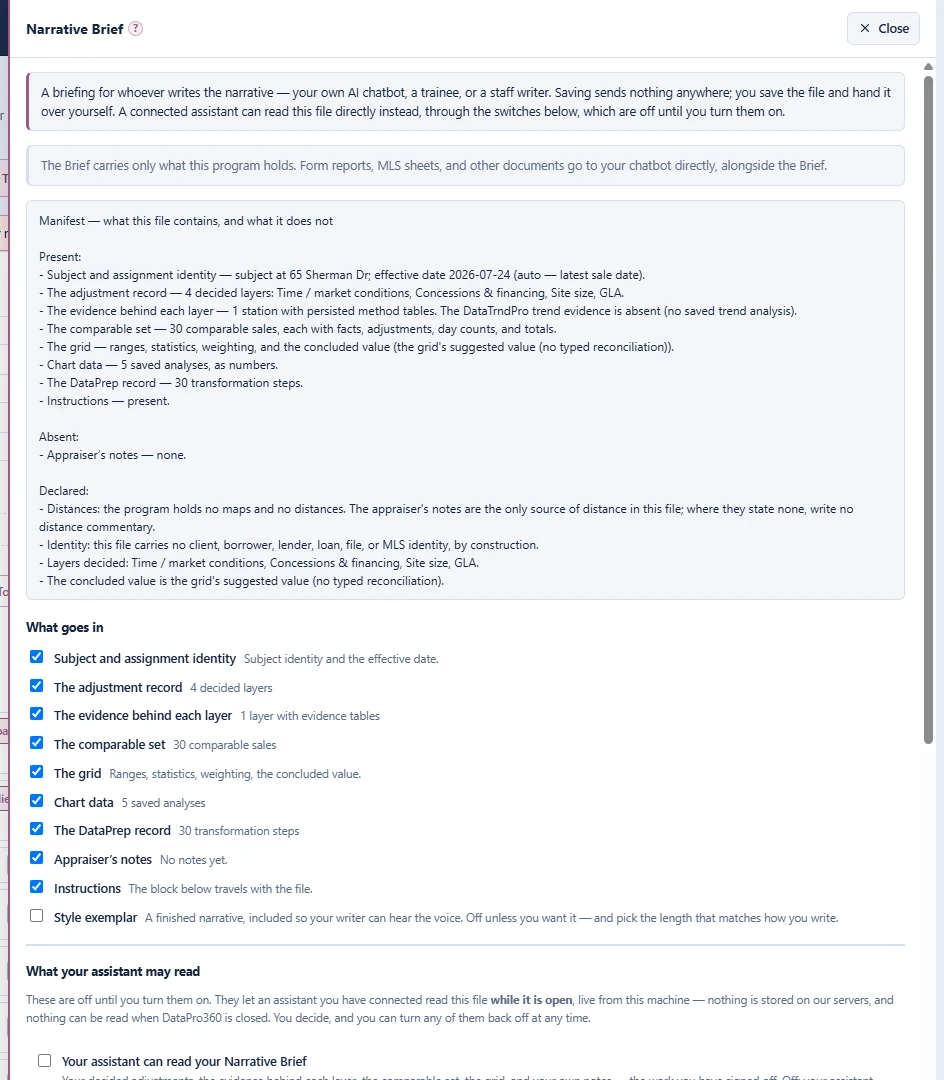
Read the open file — the parts you permit. Each read is its own switch: the comparable rows as they were loaded and as you prepared them, the record of every preparation step, each station's method-by-method evidence — every method's rate, its fit, how many sales it used, whether it votes, the band, and the rate you decided — the Comp Grid's own totals, the comp detail pages, a list of what photos the report carries, the Subject Property page, the report outline, the ratio study, the saved trend analyses, and the Narrative Brief: your decided adjustments, the evidence behind each layer, the comparable set, the grid, and your own notes — the work you have signed off, not raw data.
Draft narrative from the real numbers. The Brief is the right source for writing narrative: it carries decisions, not ingredients, and every figure in it is a finished number — so an assistant writing from it restates what the file says instead of computing from retyped fragments, and derives no adjustment of its own.
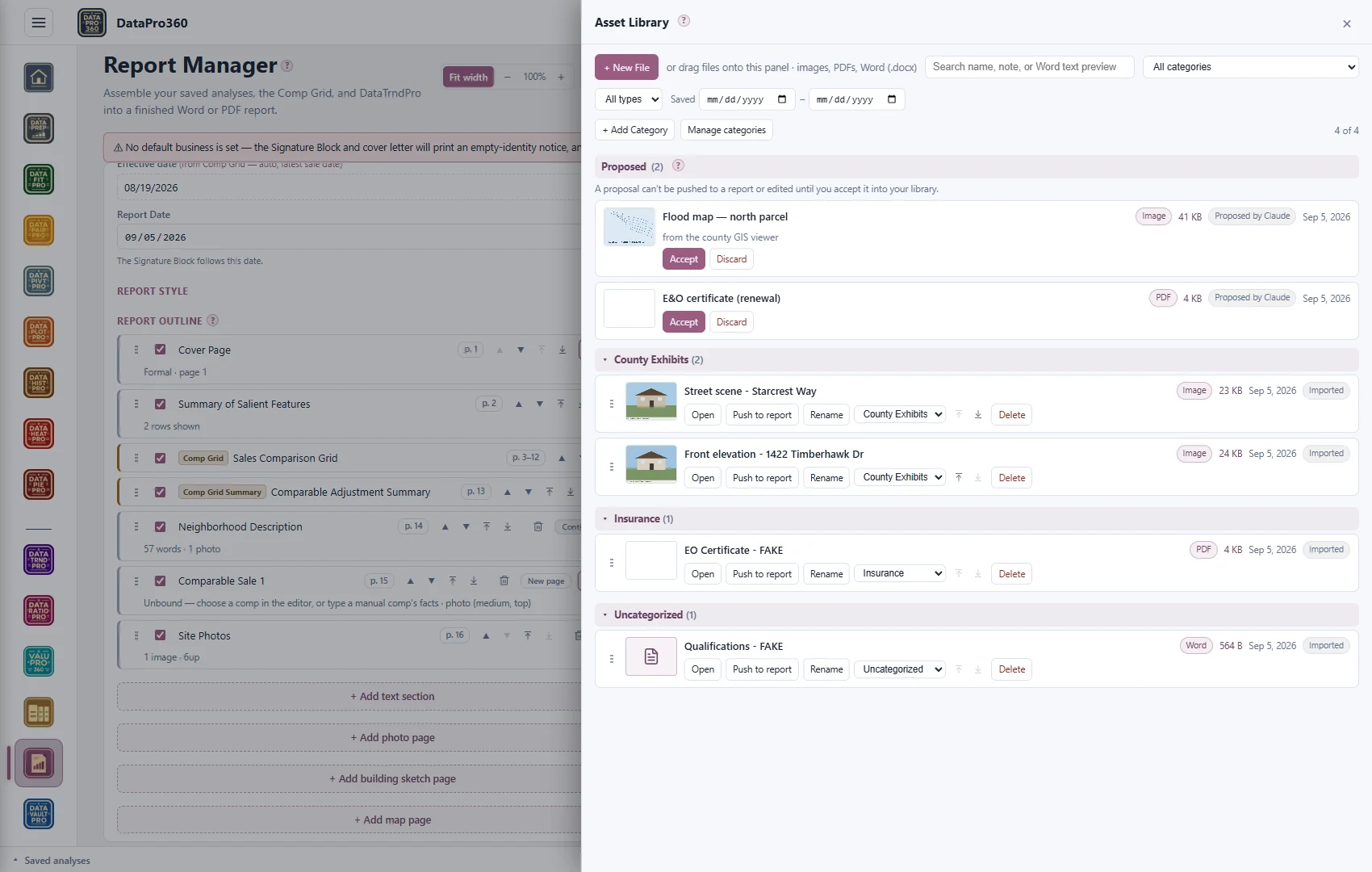
Stage sales, and do the clerical work you allow. It can hand you comparable sales — pulled through the MLS connection you already have in the assistant, or from any table you give it — staged in DataPro360 exactly as they are, waiting until you load them. It can clean and fill your sales data, run a Prep Recipe, check it against your DataVaultPro, arrange report sections, and write into the text boxes you name. Every task has its own switch — Off, Ask, or Auto. On Ask it waits for you to push it; on Auto it lands, journaled, with one undo. A master switch turns it all off. It can also propose text or a file to your libraries' review shelves, where a proposal waits on your accept or discard.
What it cannot do
It cannot decide an adjustment. The program's own orientation states the rule the connector inherits: the methods are computed and shown; which ones to trust, which sales to exclude, and the final number are the appraiser's, and they are what gets signed. The value is still yours: it cannot touch the Comp Grid, decide an adjustment, set a weight or the value, flip a switch, or save your file — those are the appraiser's. And it cannot see anything not switched on: every read is off until you turn it on, and an oversized answer is refused with its size named rather than quietly shortened.
Who controls what it sees
You do, in the AI Assistant panel. Three levels set the reads together — Nothing, where every account starts; Your decided work, the conclusions you have reached and the words you have written, not the sales data underneath them; and Everything, which adds the evidence underneath — with the six groups under Advanced: the Brief and your decided adjustments, the evidence, your data, images, your libraries, MLS numbers. MLS numbers are the one thing no level includes: they travel only if you turn that switch on yourself, and nothing is read once the file is closed. A single Your assistant switch sits above it all — off means no assistant may read or propose anything. What the assistant may do is a separate set of switches — one per task, Off, Ask, or Auto — with a master switch that turns it all off.
The connection itself is yours the same way: made under your own account with your own provider, and revocable — turn any switch back off at any time, or remove the connector in your assistant and the whole arrangement ends.
What it is good for in review
The reads carry the evidence, not just the answer. A station read returns every method's rate, fit, sample and vote alongside the decided rate — reported separately from the calculated one — and a saved narrative comes back with a drift flag saying whether the station has moved since it was saved. That shape makes an assistant useful in the one place appraisers rarely get help: point it at a finished file and ask what the support actually shows — whether the bands hold the decided rates, which decisions sit on thin counts, where the narrative and the tables disagree. Both Claude and ChatGPT reached this conclusion on their own when first connected: the interesting use is not writing the file, it is reading one.
Which assistants
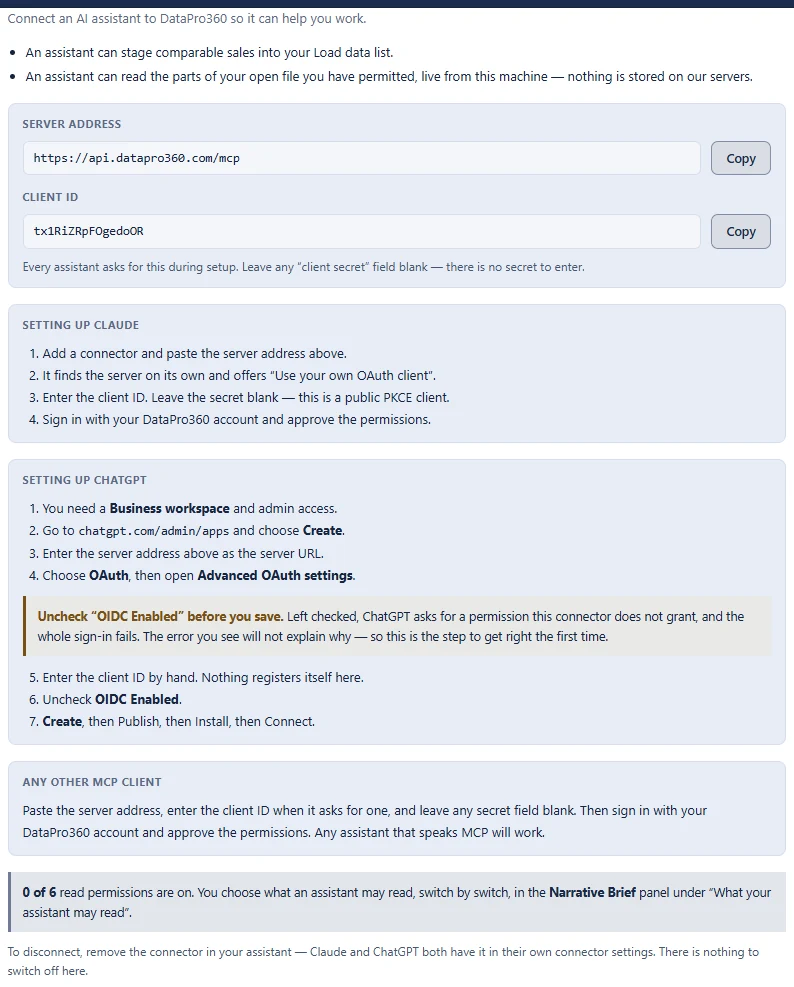
Claude and ChatGPT today, and any assistant that speaks the Model Context Protocol — the connector is built on that open standard, not on a private arrangement with one company. Setup is two values from Settings → Connections: the server address and a client ID. Every assistant asks for the client ID during setup; there is no client secret to enter, because this is a public client — leave any secret field blank.
What this means for data
Nothing is shared until you switch it on, and what you switch on is answered live: a read is answered by the browser you have DataPro360 open in, from the file in front of you — nothing is stored on our servers on the way through, and when the program is closed the read simply fails rather than serving an old copy. DataPro360 has no AI of its own; the one you connect is your provider, under your account with them and under their terms. Nothing you load is used to train anything. The same posture runs through the rest of the program — the privacy policy states it in full.
Doing this in DataPro360
Connect once in your assistant with the two values from Settings → Connections, then choose a read level in the AI Assistant panel — every account starts at Nothing — and set each task's switch to Off, Ask, or Auto. The assistant reads, drafts and does the clerical work you allow; the appraiser decides.